Huawei's MatePad Air nails the desk, then makes you rebuild it
The 509g MatePad Air 2026 pairs a superb matte OLED with a genuinely useful keyboard, but Google workarounds remain part of the job description.
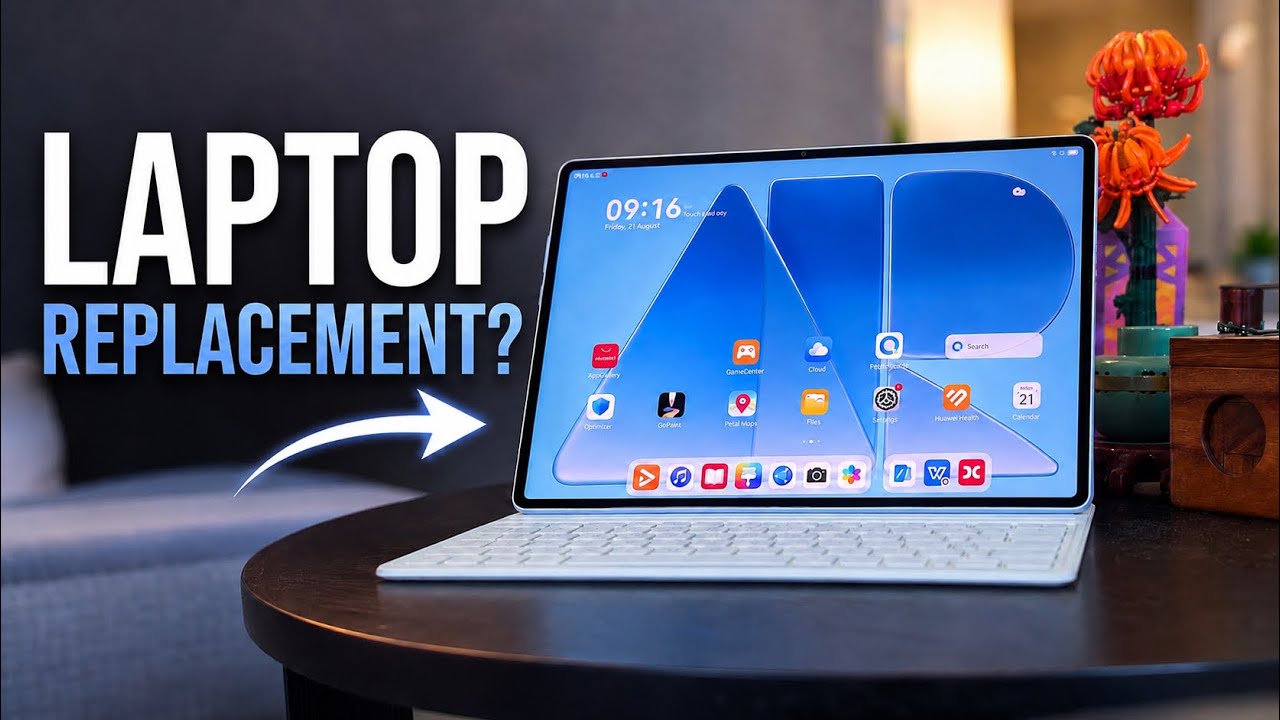
The Huawei MatePad Air 2026 makes a terrific first impression before you switch it on. At 509 grams and 5.3mm thick, it puts a 12-inch work surface into a body that is easy to carry between a desk, lecture hall and sofa. Add the magnetic keyboard and it becomes an 817-gram writing kit, according to Huawei's Malaysian launch material. That is the sort of number a commuter feels every day.
Then comes the less photogenic part of the setup. There is no native Google Play or built-in Google services. A buyer whose working day revolves around Gmail, Drive, Meet and company-managed Android apps may need GBox, microG, web apps or a different device. The MatePad Air is unusually good at the physical business of mobile work. It still asks some owners to reconstruct the software desk themselves.
The screen earns the PaperMatte name
The defining upgrade is a 12-inch, 2800 by 1840 OLED panel running at up to 144Hz. Huawei sells glossy and PaperMatte versions. The latter trades some of OLED's showroom punch for fewer reflections and more friction beneath a stylus.
Independent testing supports the pitch. PhoneArena found the revised coating closer to paper for writing and drawing, with no perceptible pen latency using the M-Pencil 3. Its lab recorded a full-screen brightness below Huawei's 1,200-nit peak claim, but the review still judged the panel comfortable for reading. The Gadgeteer's Vincent Nguyen used it in a bright sunroom office and reported no visibility problem. Those observations matter more for a document tablet than a peak number measured under a narrow condition.
The three transcript-bearing video reviews from EMKWAN Reviews, Lim Reviews and Critical Tech approach the same hardware from different directions, but all centre the OLED PaperMatte display, thin build and keyboard proposition. That agreement is useful because none of those features depends on an untestable AI promise. You can see the reflection control, the size of the keyboard and how the tablet sits on a desk.
A keyboard that refuses to cosplay as a laptop
Huawei's Smart Magnetic Keyboard has no trackpad. That omission keeps the package light, but it also reveals what this machine is. It is a touch-first tablet with good keys, not a small notebook with a removable screen.
Nguyen found enough travel for email, notes and regular writing, and said the case remained stable on his lap. PhoneArena likewise found the keyboard spacious, quiet and firmly held at its two viewing angles. It can fold into a flatter studio position for handwriting. NearLink and physical contacts remove the fuss of Bluetooth pairing, while the tablet can be detached immediately for reading.
For a writer who works mostly in a browser and text editor, that simplicity can be liberating. Spreadsheet users, people who select tiny controls in desktop web apps, and anyone accustomed to a pointer should budget for a mouse. Huawei's launch bundles vary by market, so the apparently complete productivity kit may also have a different real price depending on whether the keyboard, pen or both are included.
The chip is not the bottleneck
The Kirin T93C is built on a 7nm process and cannot match current Apple M-series or flagship Snapdragon silicon. It does not need to for the jobs this tablet suits. PhoneArena recorded Geekbench 7 scores of 1,102 single-core and 4,347 multi-core, while sustained graphics results improved markedly over the previous Huawei tablet it tested. Daily navigation remained fast.
Battery evidence is more mixed. The 10,100mAh pack supports 66W charging. PhoneArena measured 10 hours 23 minutes of browsing, 7 hours 31 minutes of video and a full charge in 1 hour 29 minutes. Mobilissimo's separate video-playback test ran for 17 hours 32 minutes. Different brightness levels and test methods make those figures unsuitable for a direct comparison, but both sources show that endurance is credible rather than obviously compromised by the thin chassis.
The software is the harder ceiling. Nguyen already used Huawei devices and restored a working setup with Gmail, YouTube, Lightroom, Canary, Elements and GBox. He was careful to call that his workflow, not a universal compatibility guarantee. PhoneArena also got Google access working, but criticised Huawei's infrequent tablet updates and warned that unresolved bugs can linger.
Audit your apps before admiring the hardware
The MatePad Air 2026 is easy to recommend for handwritten notes, PDFs, reading, sketching, web research and focused drafting. The matte OLED, low weight and simple keyboard solve tangible problems. Its six-speaker system and strong charging support also make it pleasant after work.
It is much harder to recommend blindly as an employee's only computer. Third-party Google access can change, notifications or logins may behave differently, and a corporate device policy may reject the workaround altogether. Before buying, list the five apps and services that can stop your day. Test their exact regional versions, including sign-in, notifications, file export and video calls.
Huawei has built the rare productivity tablet whose hardware does not seem embarrassed when the laptop stays home. Whether the laptop can actually stay home is decided by the least glamorous item on the spec sheet: the software your job requires.